
What Happens When You Run Out of ActiveLayer Spam Checks
Would you like to know what happens to your spam protection when you use up your ActiveLayer spam checks?
Every submission ActiveLayer checks uses one spam check from your plan. When you’re running low, ActiveLayer warns you, so you can upgrade before your forms lose protection.
This tutorial will show you how to check how many spam checks you have left, recognize the warnings, and get spam checking back on.
To compare different ActiveLayer plans, visit our pricing page.
In This Article:
Checking How Many Spam Checks You Have Left
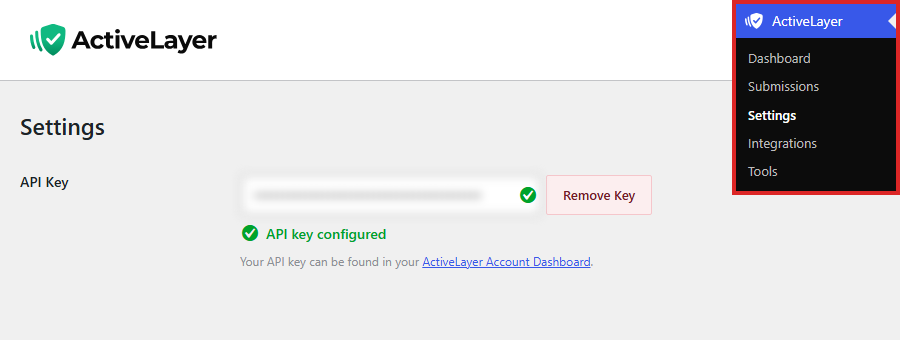
To get started, go to ActiveLayer » Settings in your WordPress dashboard. The usage box under API Usage shows how many spam checks you’ve used and how many your plan includes.
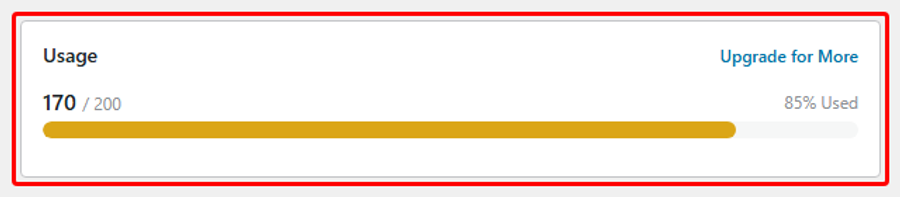
The bar turns yellow at 70% and red at 90%, so you can see at a glance when you’re getting close.
How your checks refill depends on your plan:
- Free plan: You get a one-time allowance of 200 spam checks. It doesn’t reset.
- Paid plan: Your allowance resets on the 1st of every month.
Note: Bonus checks, like the extra checks you get for adding a card, count toward your total. ActiveLayer uses them before it stops checking.
Next, you’ll see the warnings ActiveLayer shows as you get close to your limit.
Recognizing the Low Usage Warnings
On the free plan without a saved payment method, ActiveLayer shows a warning across your WordPress dashboard once you’ve used 80% of your checks. It tells you how many checks are left.
To see your upgrade options, click See plans in the warning. This opens the Billing page in your ActiveLayer account.
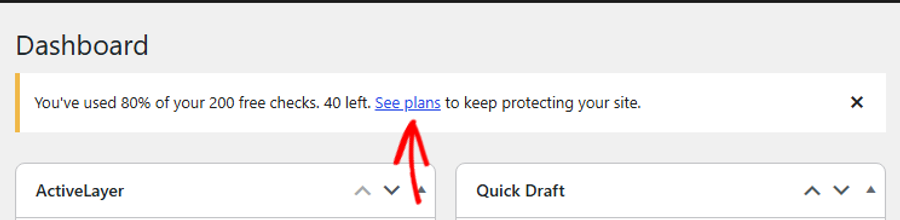
You can close this warning with the X on the right. It comes back once you reach your limit.
Your ActiveLayer account at app.activelayer.com also keeps you posted. It sends email and dashboard notifications when you’ve used 50%, 90%, and 100% of your checks, on any plan.
Next, you’ll see what happens once you’ve used all of your checks.
Understanding What Happens When You Run Out
Once you’ve used all of your checks, including any bonus checks, ActiveLayer pauses spam checking. Your forms still receive submissions as usual, but ActiveLayer doesn’t screen them for spam.
On the free plan without a saved payment method, the warning in your WordPress dashboard changes to ActiveLayer free plan limit reached. To upgrade, click on See plans.
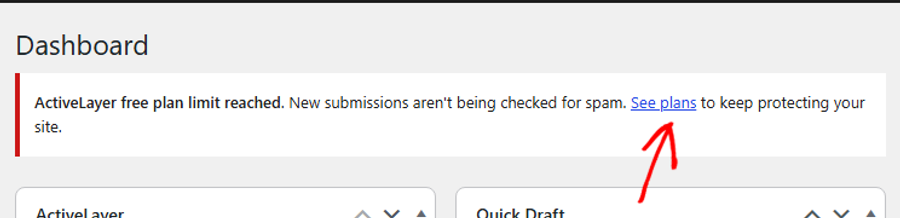
On any plan, the usage box under ActiveLayer » Settings shows You've hit your usage limit!
Once a submission comes in that ActiveLayer couldn’t check, the ActiveLayer Dashboard also tells you how many submissions weren’t checked. To see your upgrade options from there, click See plans.

On any plan, a notice with the same message also appears at the top of your WordPress admin pages. It takes the place of the free plan limit notice and includes a Dismiss link, so you can close it.
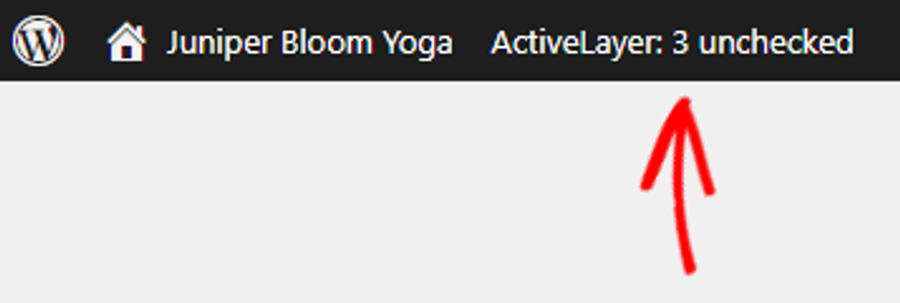
The WordPress toolbar at the top of every admin page shows the same count. To open the ActiveLayer Dashboard, click the ActiveLayer: 3 unchecked badge.
Next, you’ll see how to get spam checking back on.
Getting Spam Checking Back On
How spam checking resumes depends on your plan:
- Paid plan: Checking resumes when your allowance resets on the 1st of the next month, or sooner if your account is upgraded.
- Free plan: Checking resumes once you upgrade to a paid plan.
To upgrade, follow our guide on how to upgrade your ActiveLayer plan.
Note: Accounts with a saved payment method or an active subscription may be upgraded to the next Pro tier automatically when they run out. That keeps protection going without a break, but it depends on your account and isn’t guaranteed.
That’s it! You’ll know when your spam checks are running low, so ActiveLayer keeps protecting your forms without asking real visitors to solve a CAPTCHA.
Next, you can also check out our getting started guides.
Need help? Contact ActiveLayer support, and we’ll help you get set up.
Frequently Asked Questions
Will my forms still receive submissions when I run out of spam checks?
Yes. Your forms keep receiving submissions as usual. ActiveLayer only pauses its spam checking, so spam isn’t screened until you have checks again.
Do my free spam checks reset every month?
No. The free plan’s 200 spam checks are a one-time allowance. Only paid plans reset on the 1st of every month.
Why don’t I see the 80% warning in WordPress?
The WordPress warning only appears on the free plan when no payment method is saved. Paid plans and free accounts with a saved card don’t see it. Your usage box under ActiveLayer » Settings and the notifications from your ActiveLayer account still show your usage.
Are submissions checked later once my checks come back?
No. Submissions that arrive while you’re out of checks aren’t screened for spam. They also aren’t logged under ActiveLayer » Submissions. ActiveLayer only checks new submissions once you have checks again.