
How to Stop Formidable Forms Spam with ActiveLayer
You open your inbox, and there are six new Formidable entries waiting. Two are real inquiries. The other four are bots, each with a link buried somewhere in the message field. Formidable does ship with spam handling, and a honeypot catches the clumsiest bots. What it can’t do is look at a well-written submission and […]
You open your inbox, and there are six new Formidable entries waiting. Two are real inquiries. The other four are bots, each with a link buried somewhere in the message field.
Formidable does ship with spam handling, and a honeypot catches the clumsiest bots. What it can’t do is look at a well-written submission and judge whether it’s a genuine inquiry or something generated to look like one.
This guide sets up ActiveLayer to check every Formidable submission before the notification reaches your inbox. It only takes about ten minutes to configure.
In this tutorial:
What you’ll need: a WordPress site with Formidable Forms installed, and admin access to your dashboard.
Step 1: Create Your Free ActiveLayer Account
Head to activelayer.com and sign up for a free or paid plan. The free plan includes 200 spam checks (one-time), and you don’t need to enter a credit card.
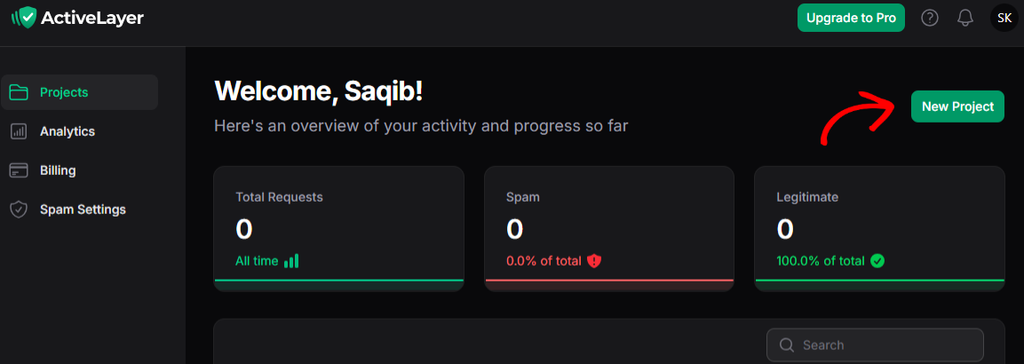
Once you’ve signed up, you’ll be redirected to the ActiveLayer dashboard at app.activelayer.com. Click the New Project button to create a new Project.
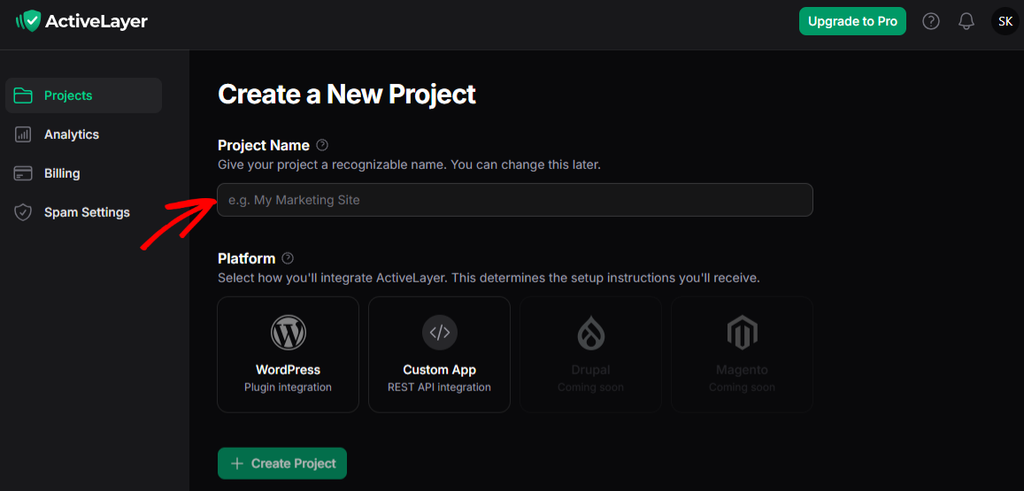
Enter your Project Name (which can be used to recognize your site), select your Platform, and then click on the Create Project button.
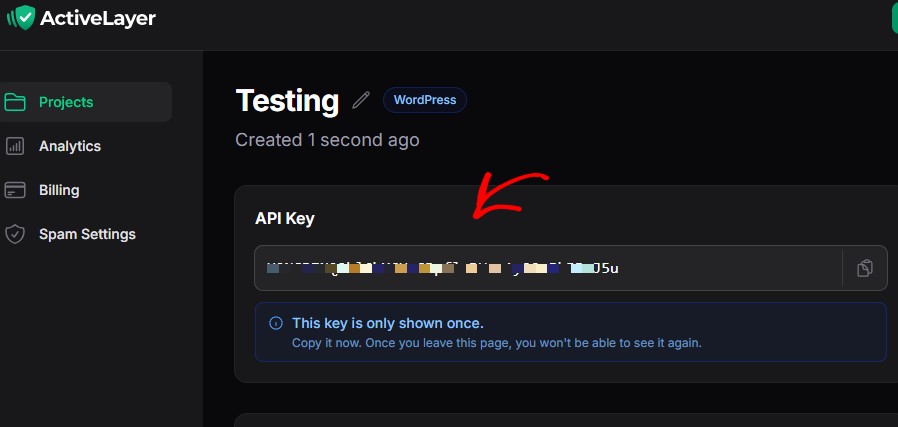
From the next page, you’ll be able to copy the API key. This key connects your WordPress site to ActiveLayer, so copy it or keep this tab open. You’ll need the key in Step 3. Also, note that this key is displayed only once.
Step 2: Install the ActiveLayer Plugin
In your WordPress dashboard:
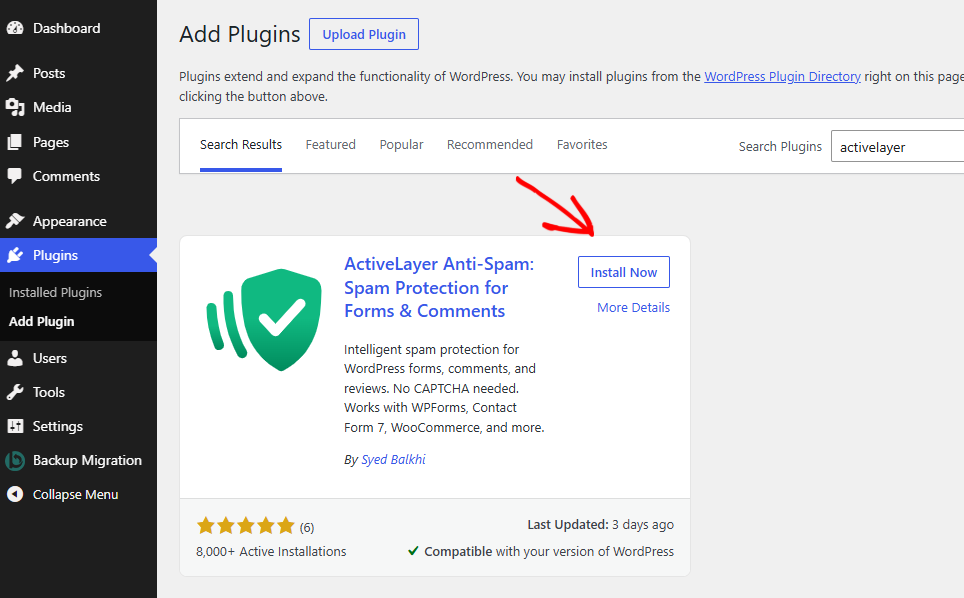
- Go to Plugins > Add Plugin.
- Search for ActiveLayer.
- Click Install Now, then Activate.
An ActiveLayer menu item appears in your admin menu once it’s active.
Step 3: Connect Your API Key
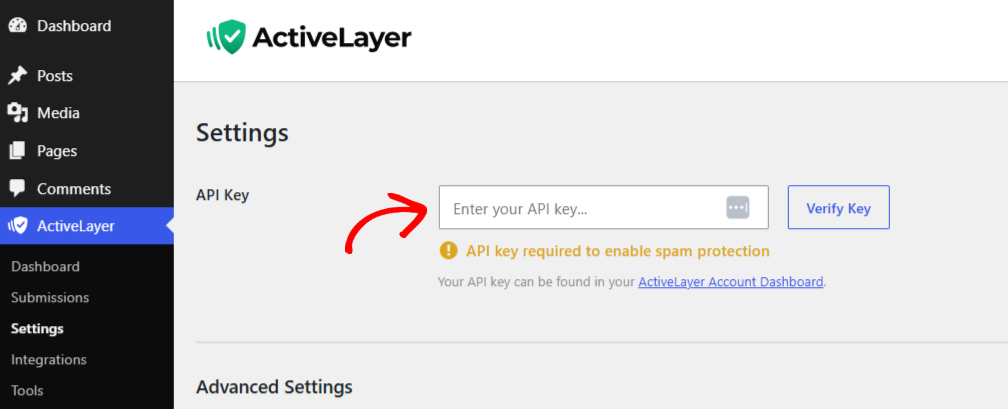
- Go to ActiveLayer > Settings.
- Paste your API key into the field.
- Click Verify Key.
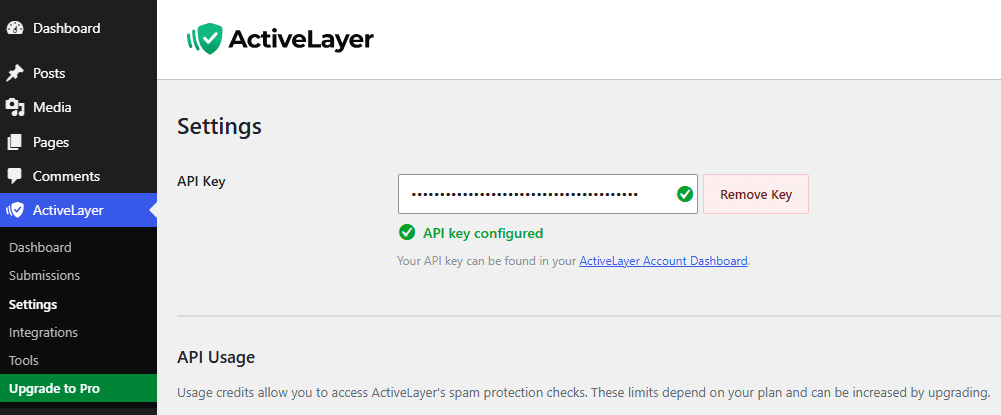
A green checkmark means your site is connected. If it doesn’t show up, check that you copied the whole key with no extra spaces at either end.
Step 4: Turn On Formidable Forms Protection
You’ve got two options here, and you only need one.
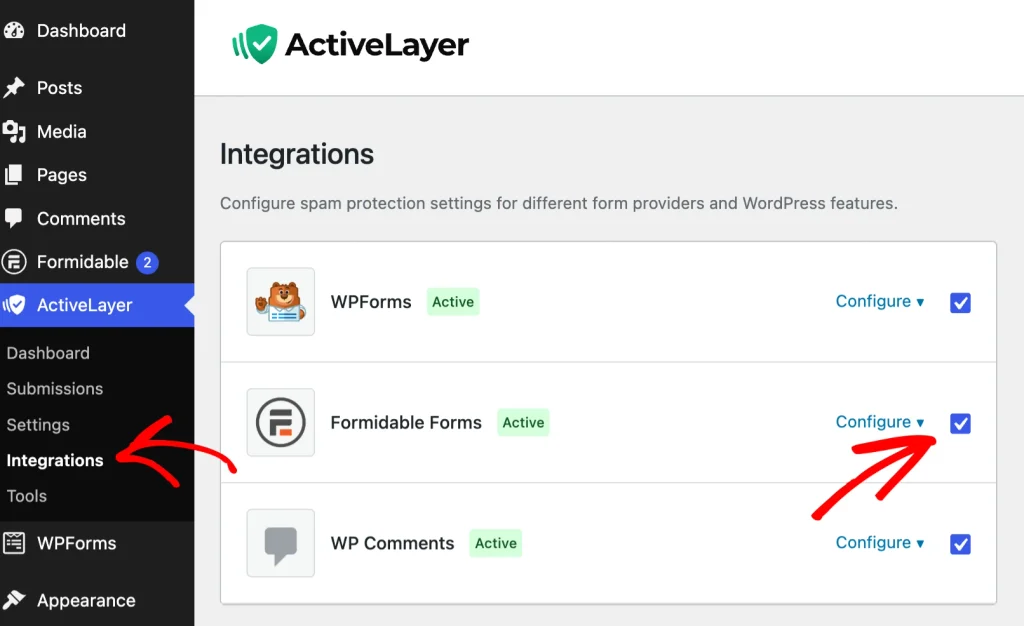
To protect every form on your site, go to ActiveLayer > Integrations > Formidable Forms and switch protection on. One click, and every Formidable form is covered.
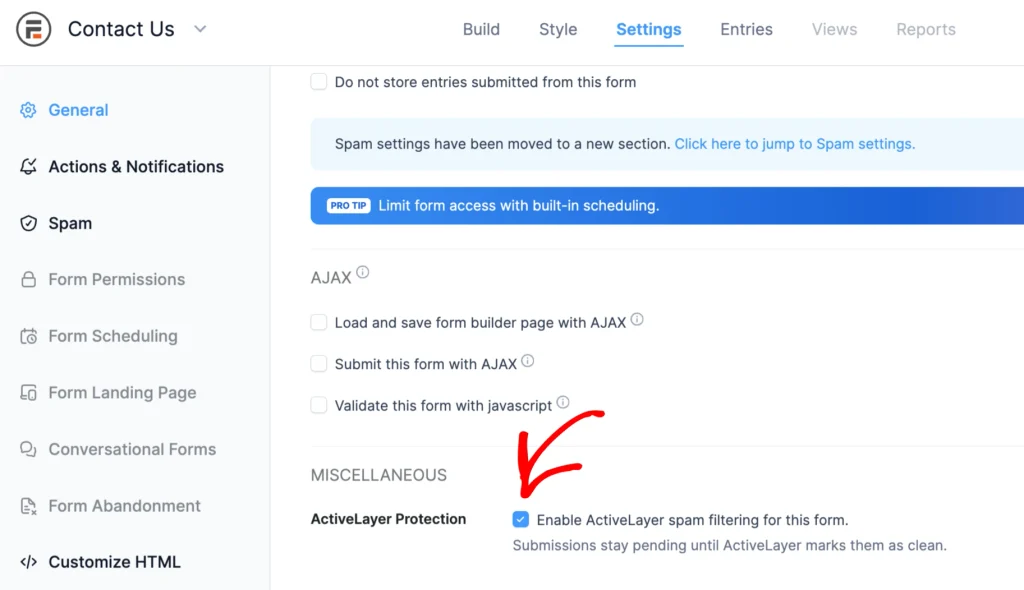
To protect a single form, open that form in the builder and go to Settings, then scroll down. Tick the box for ActiveLayer Protection and save the form.
That’s the whole setup. There’s nothing else to configure. ActiveLayer reads the submission itself, so forms using calculators, multi-step flows, or directory entries all work without any extra work from you.
Step 5: Test That It’s Working
Here’s how you can confirm it’s working.
- Open one of your protected forms on the front end and submit a normal test entry.
- Log in at app.activelayer.com and open the Analytics page, or go to your WordPress Dashboard, click on the ActiveLayer menu, and then on Submissions.
Your test entry should be listed there with its result and risk level.
If ActiveLayer ever gets one wrong, you can mark it as spam or clean it from that page.
What Happens to Spam Now
Here’s the part worth understanding, because it’s what keeps your inbox clean rather than just your entries list.
When someone submits a protected form, ActiveLayer holds the form’s notification emails while it runs the check. It doesn’t send them first and sort it out afterward.
A clean submission goes straight through and its emails send as normal. A spam submission gets blocked, and its notification emails stay blocked permanently. They never arrive at all.
If a form has no Record Submission action, ActiveLayer checks it inline during submission. Spam is rejected before email is sent; clean submissions continue as usual.
What Happens Now
Every Formidable submission is checked before its notification reaches you, and your visitors never see a CAPTCHA or a puzzle. You can review every decision, with its risk level, on the Analytics page in your ActiveLayer dashboard.
Ready to stop Formidable Forms spam? Create your free ActiveLayer account and your forms are protected in about ten minutes.
Need help?
Contact ActiveLayer support if you run into issues installing, getting your ActiveLayer API key, or configuring Formidable Forms.
Support & billing: [email protected]