

Easy Digital Downloads spam protection comes down to two forms. The product review on every download page, and the customer registration form. Both are built to be public. Anyone can land on a product page and leave a review, or open your registration form and create an account. Bots count on it.
The damage is quiet but real. A single spam review with a sketchy outbound link can poison the structured data Google reads off your download page and drag down the rating shoppers see in search. A fake registration bloats your user list, fills your marketing with addresses that never convert, and is often the warm-up move before a carding run on the very next request.
The usual answer is a CAPTCHA. Make every reviewer and every new customer prove they are human first. The trouble is what that costs you. Up to 40% of people abandon a form when a puzzle gets in the way, and on a store that is real customers walking out while the bots solve it anyway.
There is a better place to catch them, and one place you should never touch.
Today, ActiveLayer ships native Easy Digital Downloads spam protection. Every review and every registration is scored by AI on the server, the moment it is submitted. No puzzles, no checkboxes. Real customers never see a thing. And your checkout is never gated, because spam filtering should never get between a buyer and a purchase.
How Easy Digital Downloads spam protection works
1. Product reviews
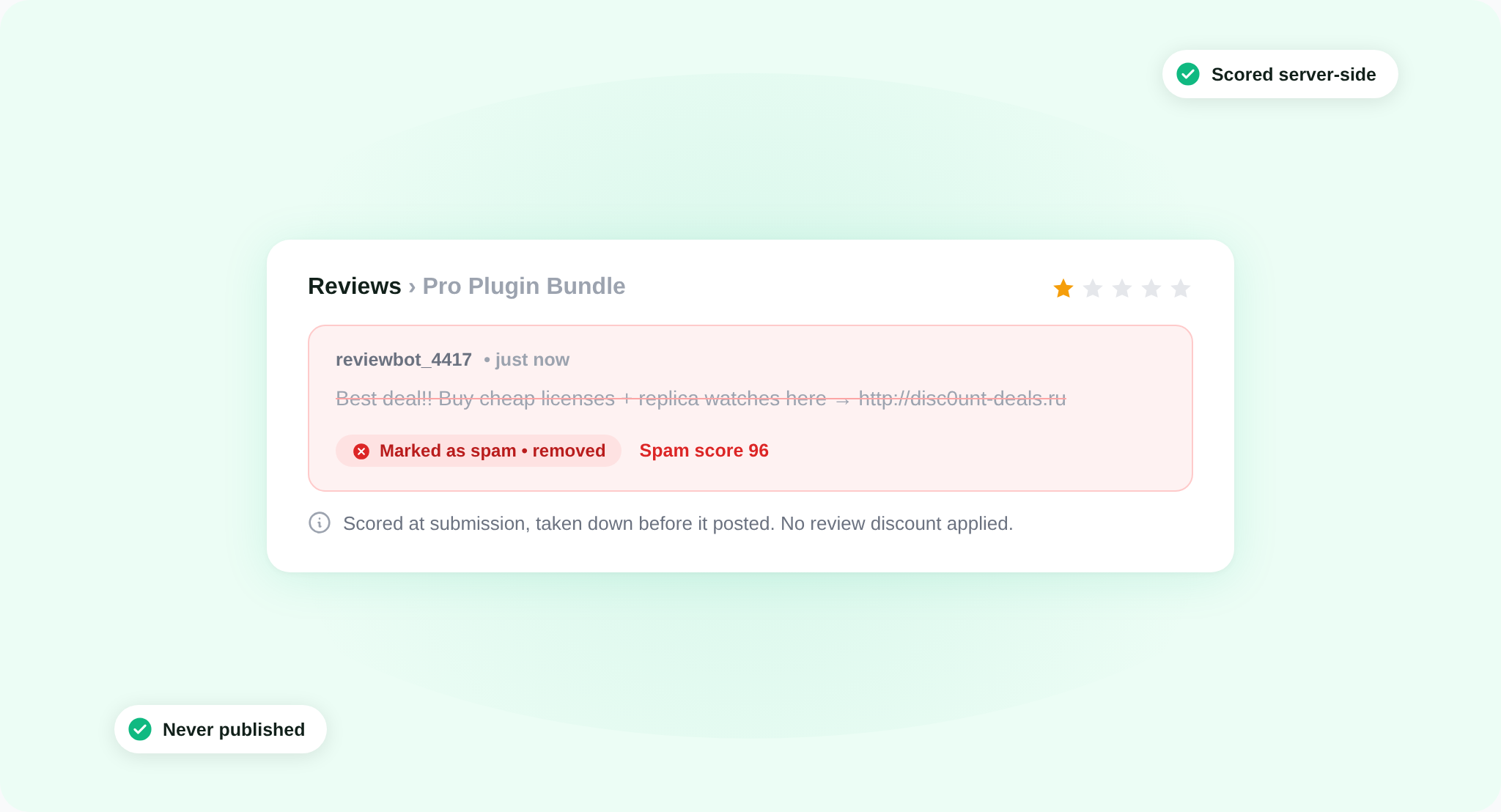
Your product reviews are public by design. Anyone who lands on a download page can leave one, which is exactly why spammers target them: the field is open, the page is indexed, and a single review with the right link rides your SEO for free. So we score every review as it comes in.
When a review is submitted, ActiveLayer scores it on the server. A clean review posts as normal. A spam review is caught at submission and taken down before it ever shows: by default it goes to your WordPress spam folder, and if you would rather not see high-confidence spam at all, you can have it hard-deleted above a score you set. It never reaches your product page, and the reviewer never earns a review discount for it.
A few details we cared about:
- Reviewers whose email has already bought the product skip the check entirely. Your most valuable feedback is never held up.
- You set the auto-delete threshold, so you decide where “probably spam” ends and “definitely spam” begins. Nothing is deleted without your say-so.
- Review protection covers reviews left through the Easy Digital Downloads Reviews extension. If you run reviews, this is the door we guard.
2. Customer registration
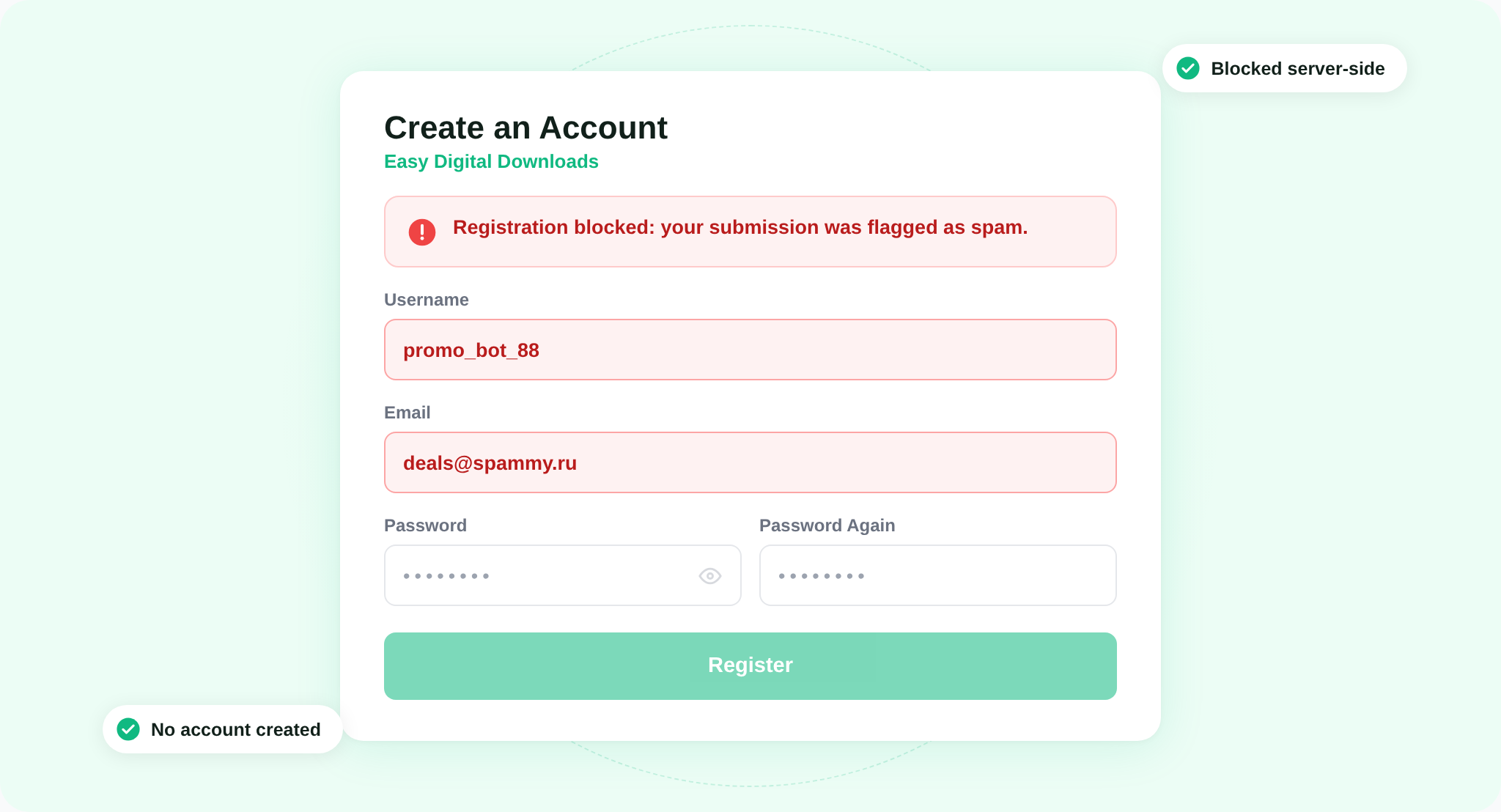
The second door is your customer registration form. It creates a WordPress account on submit, which makes it a magnet for bots building up fake users. ActiveLayer scores every registration on the server before the account is created. A clean signup goes through. A spam one is stopped cold: the visitor sees a plain inline error, and no user is ever written to your database.
One line worth repeating: the checkout is never part of this. A real buyer mid-purchase is the last person you want to slow down, so ActiveLayer never runs on the purchase flow. Payment fraud is a separate problem for your gateway tools to solve. We guard the content surfaces, reviews and registration, and stop the spam that feeds the rest.
3. The Submissions log
A spam filter you can’t see is a spam filter you can’t trust. If something blocks a real reviewer or a real customer, that is feedback or a sale you lost and never heard about. So ActiveLayer shows its work.
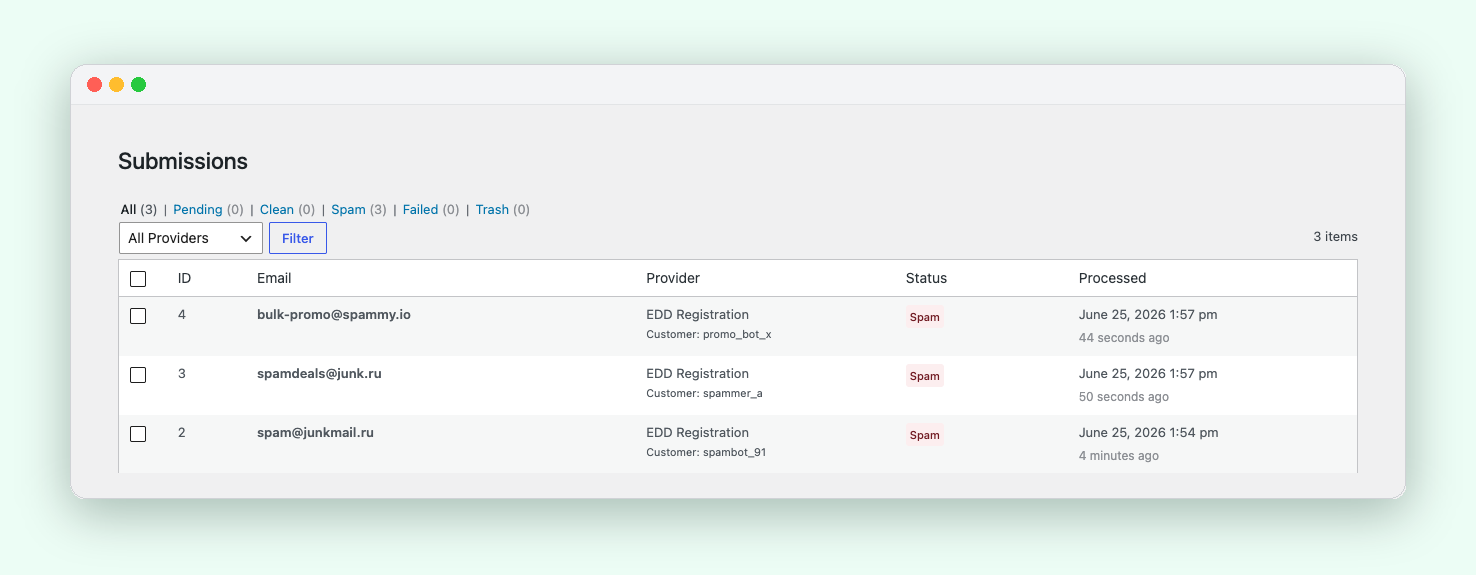
Every review and registration it processes lands in the Submissions log, blocked or clean. Open ActiveLayer → Submissions and each one is right there, tagged so you can tell a review apart from a registration at a glance. You see the verdict, the confidence score, and the signals behind it.
Three things worth knowing:
- Clean submissions are logged too, not just the blocks. You get the full picture, not a one-sided list of rejects.
- If a real customer ever gets caught, open the entry and report it. ActiveLayer retrains on that signal, so the same mistake gets less likely over time.
- Every verdict carries a detection ID, so a blocked submission is something you can actually look up, not an anonymous counter.
You audit the door instead of trusting it blindly. That’s the difference between a tool that works and a tool that says it does.
Why Easy Digital Downloads spam protection skips the CAPTCHA
A review and a registration are both high-intent moments. Someone decided your product was worth their words, or your store was worth an account. That is the worst possible time to hand them a puzzle. Drop the CAPTCHA and you recover the people it was quietly costing you, the up-to-40% who give up rather than count traffic lights.
ActiveLayer does its work entirely server-side. There is no challenge to render, no widget to load, no third party watching your visitors. The plugin adds a few hidden signal fields, invisible to customers, and the verdict happens on our API. Your review form and your registration form look exactly like they did yesterday.
Three properties matter here:
- The two toggles are independent. Protect reviews, protect registration, or both. Whatever you leave off keeps working exactly as Easy Digital Downloads ships it.
- It fails open. If our API is slow or unreachable, reviews fall back to native moderation and registrations proceed inline. ActiveLayer never breaks your store because we had a bad afternoon.
- The checkout stays out of scope on purpose. The protection sits on the content surfaces, never on the path to a sale.
Most spam tools start by suspecting your visitors. We start from the other direction. Never block a real customer. Catch the bots at the door.
Easy Digital Downloads spam protection in three steps
Setup is the same shape as every other ActiveLayer install.
1. Install the ActiveLayer plugin. It’s free on the WordPress plugin directory. Activate it on your store like any other plugin.
2. Paste your API key. Sign up at app.activelayer.com for 200 free checks (one-time), no credit card. Paste the key into the plugin settings.
3. Toggle reviews and registration. Go to ActiveLayer → Settings → Integrations → Easy Digital Downloads and flip one or both switches. That’s the whole setup, and the next bot that hits either form gets stopped.
A note for store owners
One ActiveLayer account covers every store you run. Every plan includes unlimited sites, and you’re billed by check volume, not by how many installs you manage. And if you run other forms on the same site, a contact form, a newsletter signup, a membership, those are protected by their own ActiveLayer integrations from the same settings page and the same key.
You set spam protection up once, and it follows you across every door on the site.
Pricing
Same plans as everywhere else. Nothing new to buy for Easy Digital Downloads spam protection.
- Free: 200 spam checks in total, unlimited sites, full API access, no credit card.
- Pro: from $5/month for 5,000 checks, scaling up to 250,000. Unlimited sites. Email support.
- Enterprise: from $149/month for 500,000+ checks, custom SLA, SSO, dedicated support.
One spam wave can scatter a dozen junk reviews across your catalog and pad your user table with accounts you have to clean by hand. The monthly fee costs less than the time you’d spend undoing that.
Get started
Install ActiveLayer, connect your key, and your Easy Digital Downloads reviews and registrations are protected by the time you finish your coffee. No CAPTCHA to configure, nothing to tune, and your checkout untouched.
Already running ActiveLayer on your contact forms? Then there’s truly nothing to do. The same key already turns on Easy Digital Downloads spam protection the moment you update.
Questions about your store’s specific setup? Reach out. We read every message, and our team will help you get this running.