
How to Stop MemberPress Spam Signups with ActiveLayer
Would you like to stop MemberPress spam signups and fake accounts without adding a CAPTCHA?
ActiveLayer checks signups on your MemberPress registration forms with AI on its servers. It blocks fake accounts before they’re created, so spammers never get into your members-only content.
This tutorial will show you how to set up ActiveLayer to block MemberPress spam signups, choose whether to check paid registrations, review what it catches, and test that it works.
To see everything ActiveLayer does for MemberPress, visit our MemberPress integration page.
In This Article:
Requirements:
- You’ll need a WordPress site with an up-to-date version of MemberPress installed and activated, and at least one membership.
- You’ll need admin access to your WordPress dashboard.
Creating Your Free ActiveLayer Account
To get started, you’ll need an ActiveLayer account. The free plan includes 200 spam checks and doesn’t require a credit card.
If you don’t have an account yet, follow our guide on how to sign up for ActiveLayer and get your API key. It walks you through creating your first project and copying your API key, so you can then skip ahead to Installing the ActiveLayer Plugin.
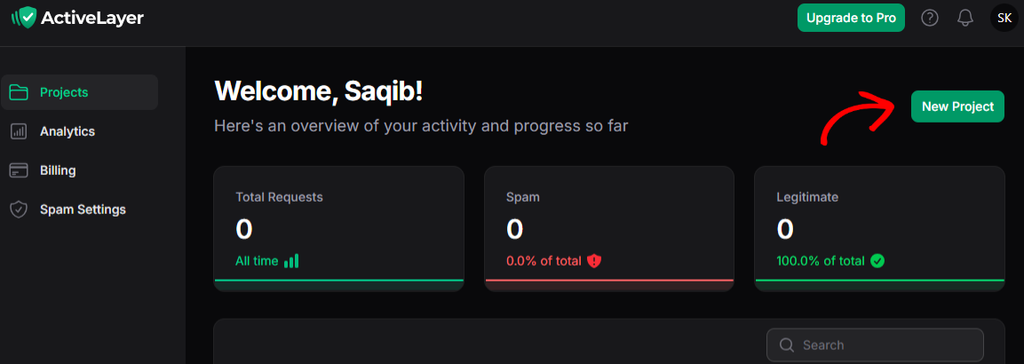
If you already have an account, log in to your ActiveLayer dashboard at app.activelayer.com and click the New Project button.
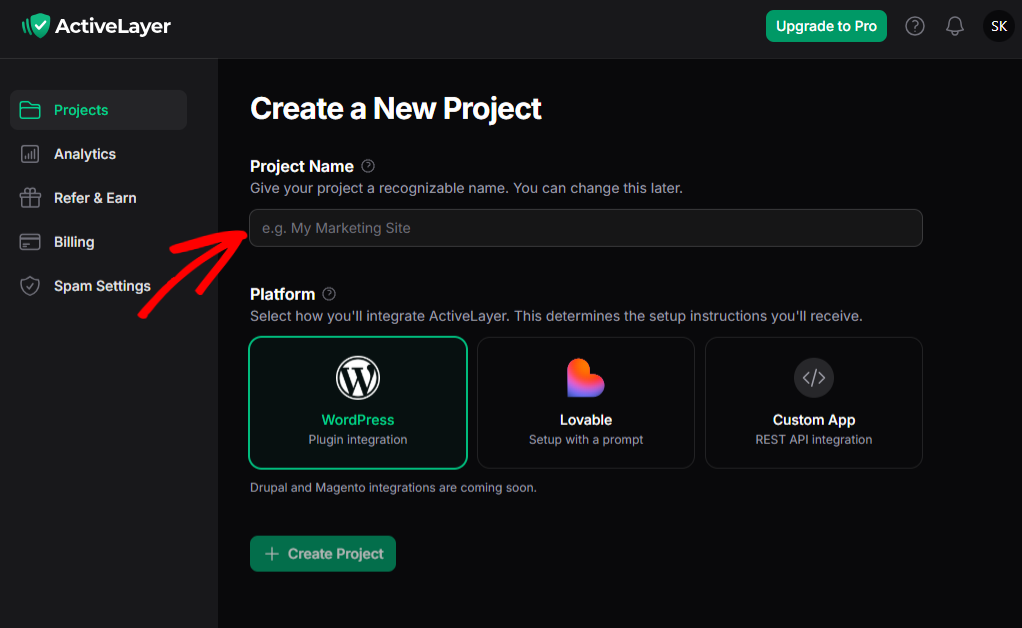
Next, enter a Project Name, select WordPress as your Platform, and click Create Project. Your API key will appear on the next page.
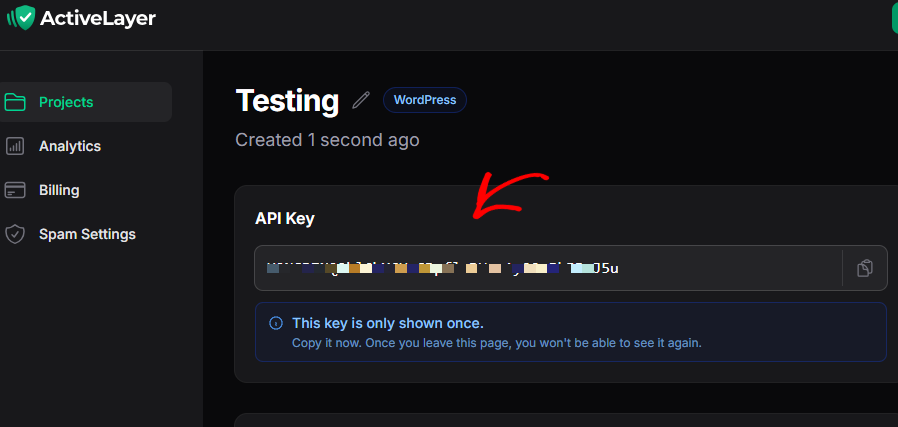
Note: Your API key is only shown once. Copy it somewhere safe, or keep this tab open until you’ve connected it to WordPress.
Installing the ActiveLayer Plugin
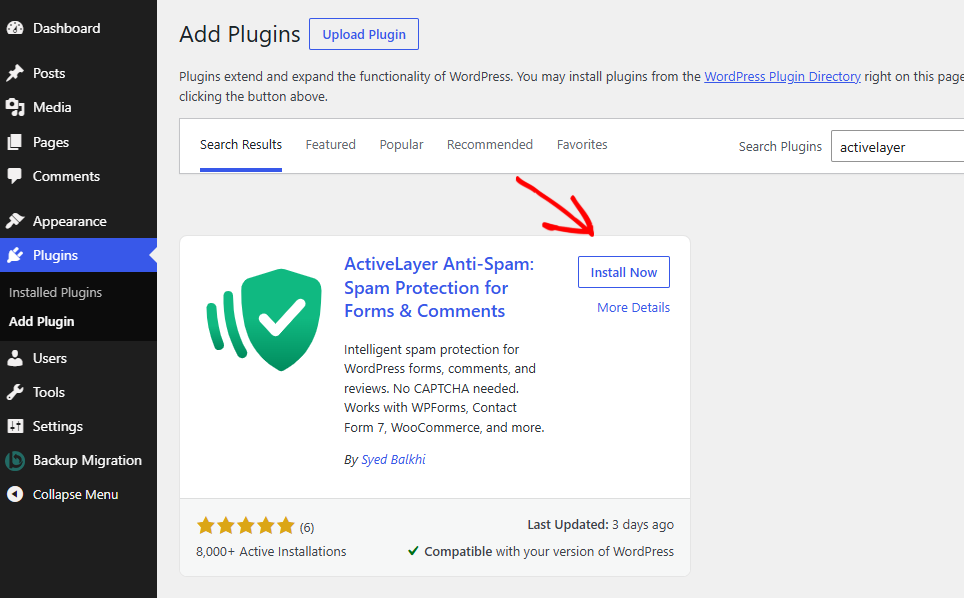
Next, you’ll need to install and activate the free ActiveLayer plugin. In your WordPress dashboard, go to Plugins » Add Plugin, search for ActiveLayer, and click Install Now. Once it’s installed, click Activate.
You’ll now see a new ActiveLayer item in your WordPress admin menu.
Connecting Your API Key
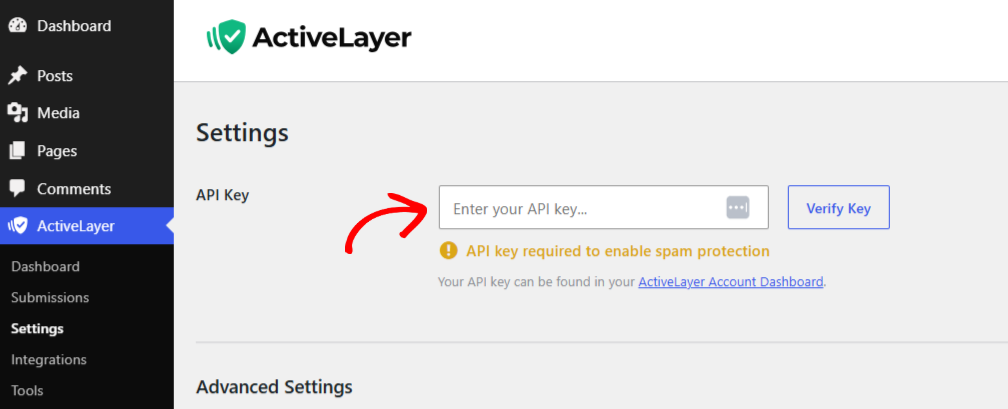
Then, go to ActiveLayer » Settings and paste your API key into the field. Click Verify Key to connect your site.
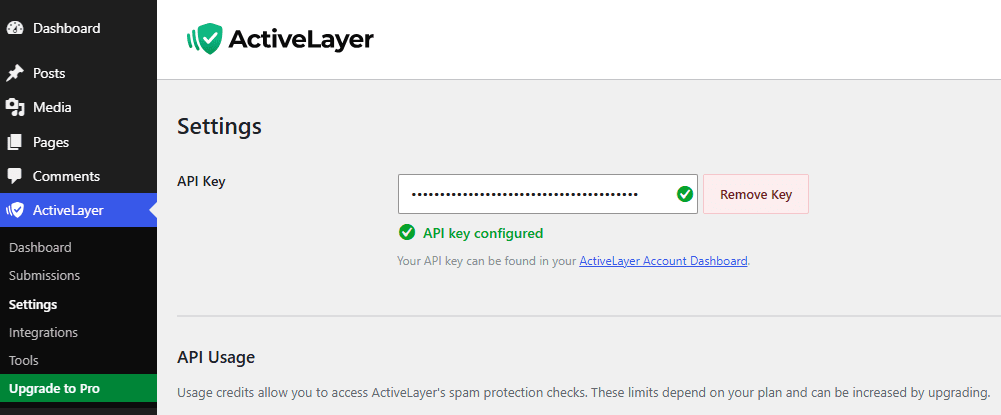
A green checkmark confirms that your site is connected.
Note: If verification fails, check that you haven’t copied any extra spaces at the start or end of your key. If you’ve lost your key, you can regenerate it from your project page.
Turning On MemberPress Spam Protection
ActiveLayer detects MemberPress and turns on protection for your membership registration forms automatically.
To confirm this, go to ActiveLayer » Integrations. The MemberPress row shows an Active badge, and its checkbox is checked.
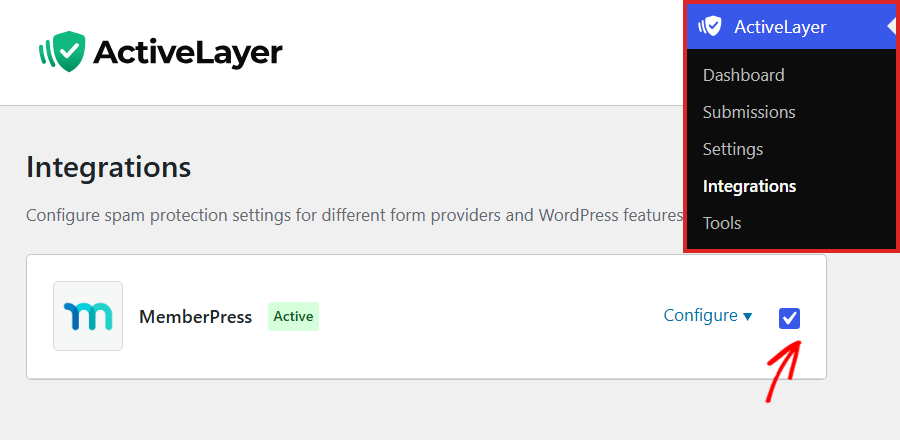
This checkbox turns protection on or off for all of your MemberPress registration forms at once. Changes to it save right away.
Note: MemberPress only appears on this page while the MemberPress plugin is active. If the badge says Paused, confirm that the checkbox is checked and your API key is connected in ActiveLayer » Settings.
By default, ActiveLayer checks signups for memberships that don’t take a payment right away. You can also choose to check paid signups.
Choosing Whether to Check Paid Registrations
ActiveLayer always checks free memberships, free trials, and signups where a coupon brings the price to zero. Signups that take a payment aren’t checked unless you turn this setting on.
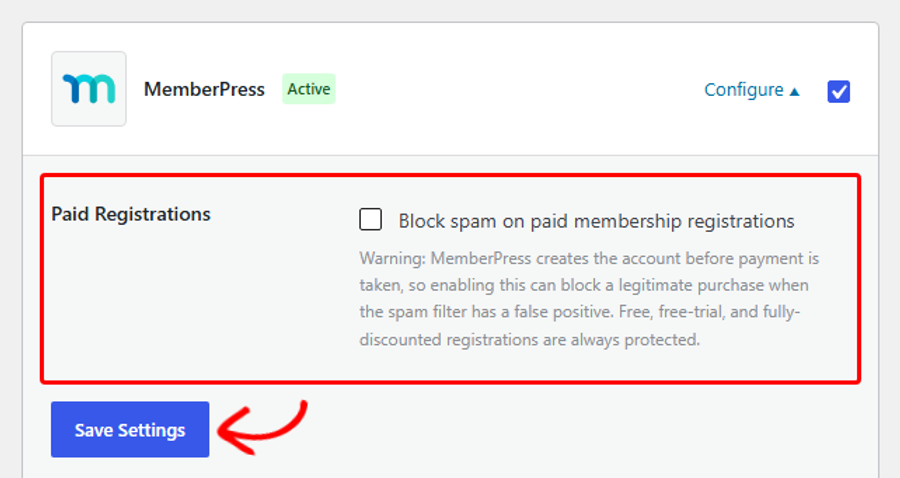
To see the setting, click Configure in the MemberPress row.
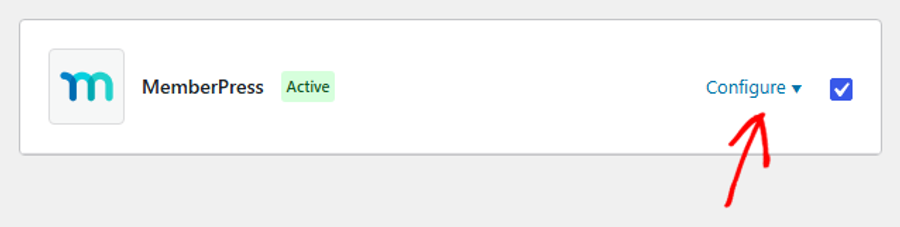
This opens the MemberPress panel. We recommend leaving the Paid Registrations setting unchecked, which is the default.
MemberPress creates the account before payment is taken. If ActiveLayer flags a real buyer by mistake, that also stops their purchase. Spammers rarely pay to sign up, so free signups are where most fake accounts come from.
If you’d like ActiveLayer to check paid signups too, check the Block spam on paid membership registrations box. Then, click Save Settings at the bottom of the panel.
Next, you’ll see where to review the signups ActiveLayer catches.
Reviewing Blocked MemberPress Spam
ActiveLayer logs every signup it checks, whether it blocks it or not.
To see them, go to ActiveLayer » Submissions.
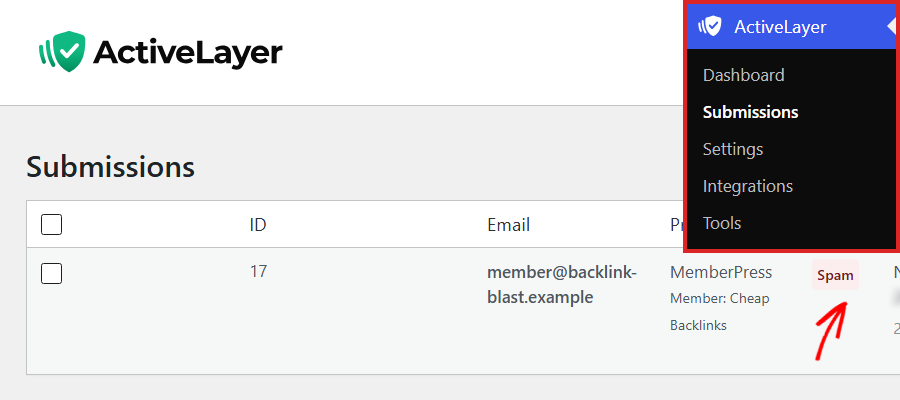
The Provider column shows MemberPress for each signup, with the member’s name below it. The Status column shows whether ActiveLayer marked the entry as Spam or Clean. If ActiveLayer couldn’t finish a check, the entry shows Failed.
If ActiveLayer flags a real member by mistake, hover over the entry and click Mark Clean. This changes its status to Clean.
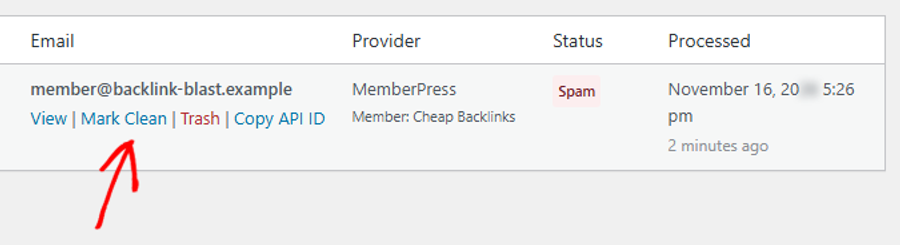
Note: Mark Clean updates the entry in ActiveLayer and lets ActiveLayer know about the mistake. It doesn’t create the account. A blocked signup never created one, so ask the person to register again.
Next, you’ll test your setup to confirm that ActiveLayer is blocking spam.
Testing Your Setup
Before you rely on ActiveLayer, it’s a good idea to check that it’s working.
To do this, open the registration page for one of your free memberships in a private browser window. ActiveLayer only checks visitors who aren’t logged in, so don’t test while you’re logged in to WordPress.
In the form, enter obviously fake details, like a name full of spam keywords and an email address you don’t use. Then, click Sign Up.
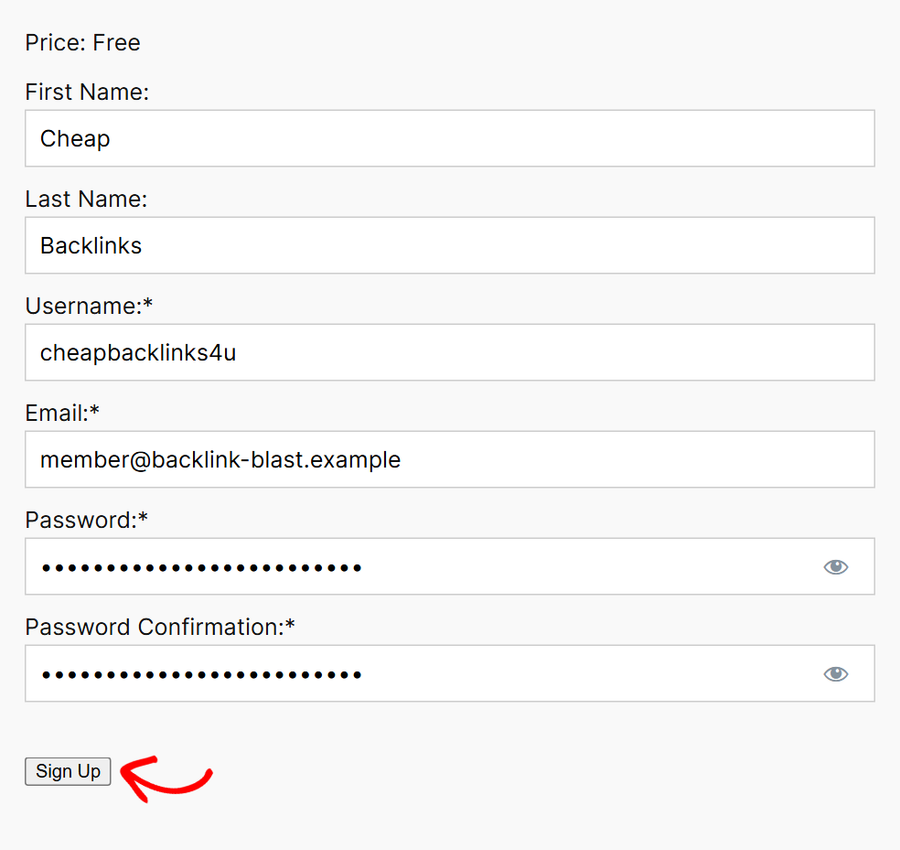
ActiveLayer blocks the signup, and the form shows this message above the fields: ERROR: Registration blocked: your submission was flagged as spam. No account is created.
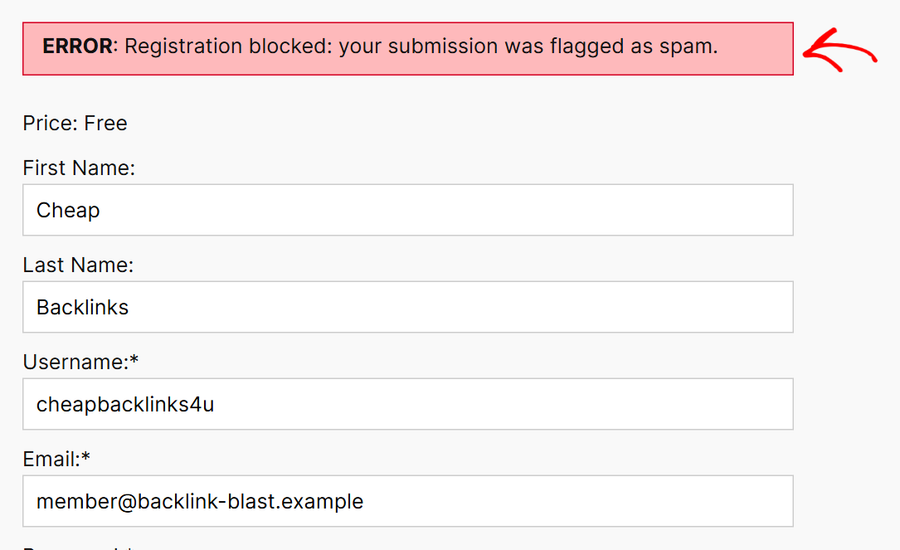
Your test signup will show at the top of the Submissions list with a Spam status.
Note: Each test uses one of your spam checks. If a test signup gets through as Clean, remember to delete the test member from Users » All Users afterward.
That’s it! ActiveLayer is now checking your MemberPress signups and keeping fake accounts out of your membership site, without asking real visitors to solve a CAPTCHA.
Next, would you like to protect other plugins on your site? ActiveLayer also works with WPForms, WooCommerce, Contact Form 7, and more. See all ActiveLayer integrations.
Still stuck? Contact ActiveLayer support, and we’ll help you get set up.
Frequently Asked Questions
How do I stop MemberPress spam signups without a CAPTCHA?
Install the ActiveLayer plugin and connect your free API key. ActiveLayer then checks signups on your MemberPress registration forms in the background. Real visitors don’t see a puzzle or an extra step.
Does ActiveLayer check paid membership signups?
Only if you turn on the Paid Registrations setting. By default, ActiveLayer checks free memberships, free trials, and signups where a coupon brings the price to zero. See Choosing Whether to Check Paid Registrations above.
Does ActiveLayer check members who are already logged in?
No. ActiveLayer only checks visitors who sign up while logged out. A logged-in member who joins another membership isn’t checked.
What happens if a signup already has a form error?
MemberPress shows its own error first, like a missing required field. ActiveLayer only checks signups that pass MemberPress’s own checks, so a visitor fixing a typo doesn’t use up a spam check.
What happens if ActiveLayer can’t be reached or I run out of spam checks?
Your registration forms keep working as usual. If ActiveLayer can’t complete a check, the signup goes through without a spam check. The same happens once you’ve used all of your spam checks. To keep every signup checked, upgrade to a paid plan.